|
|
Apr 17 2026
Version 1.3.6 was released. New: works with FFmpeg-8.1.
Also a few improvements were done.
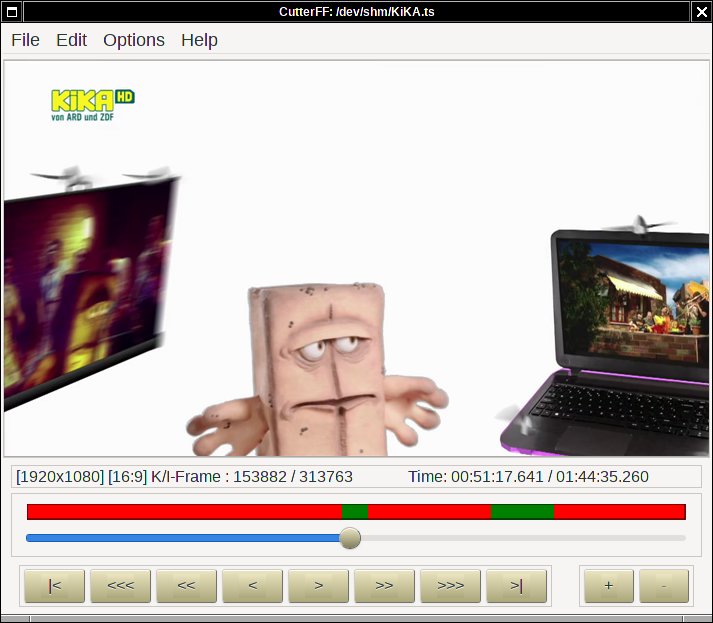
CutterFF is a small program for UNIX (Linux, or Windows if compiled with
MingW) for cutting videos using
FFmpeg and GTK+.
You can set cutpoints everywhere in the video and save it to disk, optional
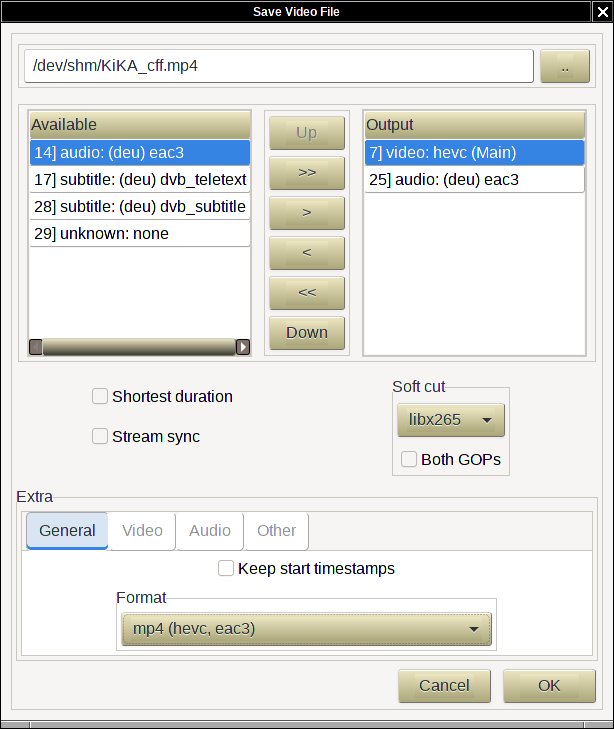
using a different format and a bitstream filter. You can select which streams
should be written to the output file, so it is also possible to extract the
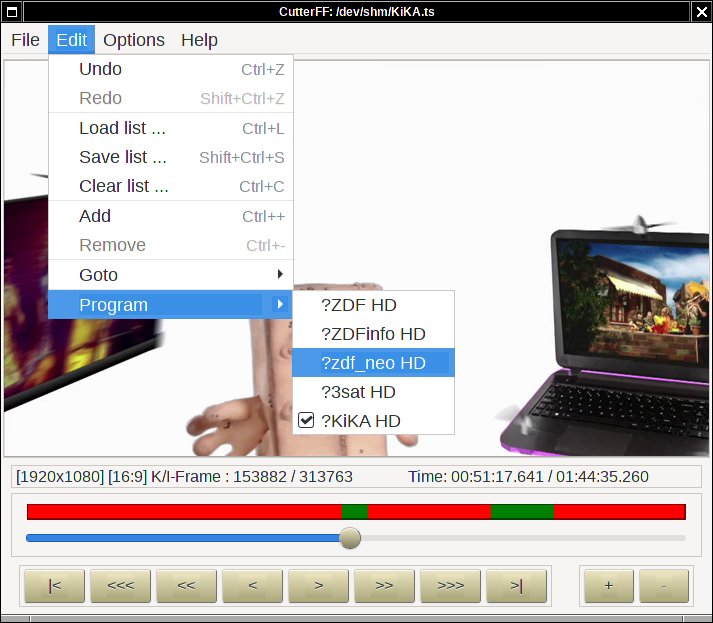
audio only. If your video file contains several programs, you can choose the
desired one.
Depending on your libraries you may also save the currently displayed picture
as image (e.g. 'jpeg', 'gif', 'png') to disk, the width and the height may be
choosen, grayscale is also possible if supported by the encoder.
Since FFmpeg is supporting a lot of formats and codecs, i am not shure
if CutterFF will work with all of them. I have tested it with only some
formats like 'avi', 'flv' 'mpeg2video', 'mpegts', 'mp4', 'matroska' and 'webm', and
some codecs like 'mpeg2video', 'avc (h264)', 'hevc (h265)', 'mpeg4' and 'vp8'.
At least no decoding and encoding is done, the streams will be simply copied,
which is done fast.
If soft cutting is enabled, then the frames at the cutpoints will be de- and
encoded. The number of frames depends on the GOP-size and may vary. The additional
time required for this depends on the number of cutpoints, the number of frames
in a GOP and the video encoding ('mpeg2video' is faster than 'hevc'). All the
other frames will be copied as mentioned above.
|
|
CutterFF is distributed under the terms of GPL2 or later.
To compile CutterFF, the following isDownloads
You can download some files from here. Note that only 64-bit versions for Linux and Windows are available.Visit also the CutterFF SourceForge summary page for more information.
Harald Förster